Globestate

All Real Estate in One Place

Your portfolio, as an explorable 3D world.

Waitlist and newsletter

Enter a valid email address

Early access

Wrong code, try again

Your code opens the demo or your account.

Scroll to explore
Layer 1 · Globe

See everything you own.

Your whole portfolio on one living globe. Map any property, in any city, worldwide.

Any city, worldwide

Map a property anywhere on Earth. Pick a market and the globe turns to it and draws its real borders.

Invested markets light up

Any market where you hold a property keeps an orange outline, and its cities get orange pins.

Portfolios as layers

Each portfolio is a tab with an eye switch. Show several at once to compare them on the map.

Upload any sheet

Bring a CSV or Excel file, review what was read, and your pins appear on the map.
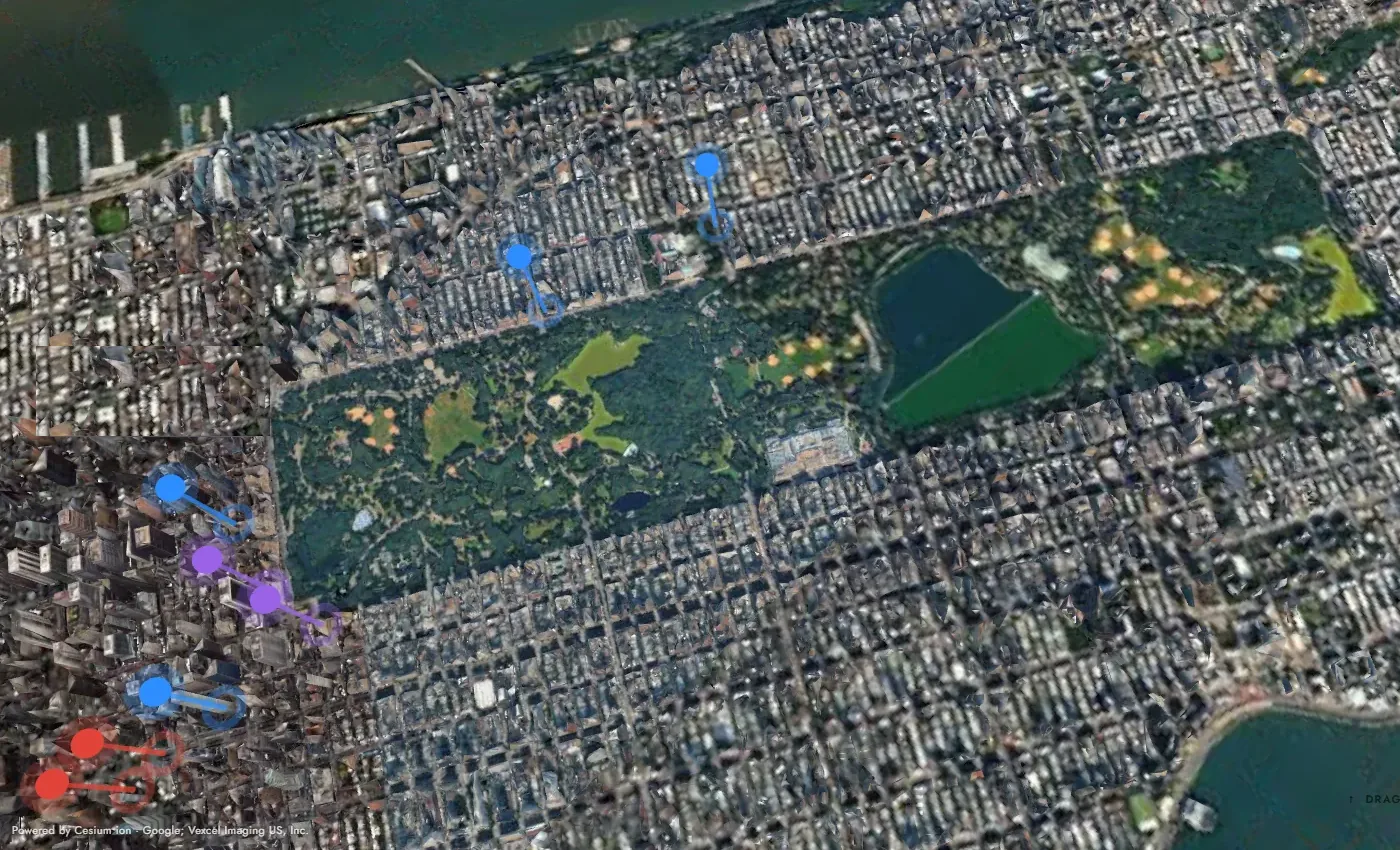
Central Park and Manhattan in 3D with coloured property pins
Google Maps · Imagery: Google, Vexcel Imaging US, Inc.
Layer 2 · City

Drop into the real city.

Fly from the globe into photorealistic 3D streets, with every property pinned where it stands.

Photorealistic 3D

The real streets and skyline, not a flat map, in cities around the world.

Pins by asset type

Office, residential, retail and more each have their own colour, so a market reads at a glance.

Filters and districts

Filter what you see and switch on real district borders. Manhattan is mapped neighbourhood by neighbourhood.

Focus on one building

One click hides every other pin so a single asset can have your full attention.

Layer 3 · Building

Read the asset in context.

Every building becomes a model you can turn, with its floors, its units and its neighbours.

Floors and availability

See how many floors and units an asset has, and which are available or reserved.

Open the building

Reveal Units lifts the floors apart, and one click leads to any unit.

Neighbouring buildings

The surrounding blocks stay in view, so you judge the asset in its real setting.

Detailed 3D model

Order a detailed model from an architect for any property.

Live 3D model, sample building
Bedroom14.4 m² Living28.1 m² Bedroom12.8 m² BathKitchen
Sample unit layout
Layer 4 · Unit

Every unit, its own page.

Go down to a single unit, with its layout, its figures and everything you need to share it.

Floor plan

The layout of the unit with its rooms, ready to read at a glance.

Digital twin

Turn the unit in 3D to understand the space before anyone visits.

Key figures

Size, status and the numbers that matter, in one place.

Share with one link

Send a read-only link. The recipient needs no account.

What you get

Everything in one view.

  • Smart import

    Excel or CSV, no template.

  • Live figures

    Tick assets, see their numbers.

  • Portfolio layers

    Switch and compare on the map.

  • Test before you buy

    Candidates in green.

  • One-link sharing

    Read-only, no account needed.

  • Private by design

    Your data stays in your account.

Pricing

Pay for what you use.

  • Free

    To start

  • 10 tokens

    A pin

  • 500 tokens

    A 3D model

  • From $50

    Top-ups

See plans

Explore Globestate

Everything your portfolio can do.

Be there at launch.

Join the waitlist
Asset type
Strategy
Shared property · view only
Link copied
Portfolio

No units acquired yet.

Remove property
Remove this property?
It disappears from your portfolio, map pins and KPIs. You can re-import it any time from your CSV.
Globestate · Plans

Choose your plan

One place for all real estate — pick the plan that fits how you work.demo

Demo environment — no real funds move in test mode. Secure payment handled by Stripe Checkout.
Globestate

Create your account

One account to explore residences, save your portfolio, and buy — all in one place.

✉

Check your inbox

We've sent a confirmation link to —. Open it to activate your account — then you're in.

Waiting for confirmation…
Already have an account?
Demo environment · no real funds move. We store your details to follow up about your interest. Your password is never kept in plain text.
Globestate

Your portfolio, visualised.

Log in to upload your properties and see your whole portfolio mapped across the globe.

Add properties
Portfolio import

Upload your own files.

— · Available now

—

Floors
—
Units
—
Available
—
From
—
01 / GLOBE 40.71°N · 74.00°W Demo
Globestate
All real estate in one place
Globe
City
Building
Unit
01
Select a metropolitan market
Global Index · 47 Markets
Pick a market.

Real estate, re-indexed. Start by selecting a market — drill down to a city, then to a single unit.

⌕
Inventory
Available
Reserved
Sold
— / — / —
— Broadway · NYC
Building Name
— floors · — units
↑ Drag to rotate · tap a city
Loading 3D Tiles…
—
—
Building / Floor — / Unit —
Unit hero image
— · —

— m² — —

Scroll to explore ↓
Price—
Size— m²
Per m²—
Floor—
Rooms—
Status—
01 · Digital twin · BIM · — Drag to rotate · scroll to zoom
02 · Floor plan
Plan · 1:50
North Scale 1m
Purchase journey · —
Your path to ownership

From interest to keys.

One guided, transparent path — every step of buying this home in a single place. Begin the first stages now; the rest unlock as you progress with your broker and bank.

—
—
—
01
Express interest & engage your broker
Connect with the licensed agent for this residence — ask anything, share what you're looking for, and open a direct line. Non-binding.
Start here
02
Sign your letter of interest
A non-binding expression of interest, signed digitally (DocuSign-style). Signals you're serious without committing to purchase.
Available
03
Connect your bank · reserve with a good-faith deposit
Link a financing partner and place a small, refundable good-faith deposit to hold your interest in the unit. No real funds move in this preview.
Available
04
Mortgage pre-approval & proof of funds
Formal financing application and an indicative pre-approval, or proof of funds if buying cash.
Up next
05
Attorney review & purchase contract
Your attorney performs due diligence on the building; the seller's attorney drafts the contract of sale.
Later
06
Signed contract · 10% into escrow
Sign the contract of sale and place the earnest-money deposit into the escrow account.
Later
07
Board approval & final walk-through
Condo board package and approval, then a final walk-through the day before closing.
Later
08
Closing · the deed & keys are yours
All parties meet, the deed transfers, and the residence is recorded in your portfolio as owned.
Finish
Stages 01–03 are live in this preview · the full closing chain follows · no real funds move
Guided purchase · Brokerage
01

What's your move?

Act on the residence now, or talk to an agent first. No pressure, no lock-in.